Draw, type, or upload
Three ways to create your signature. Save it once, reuse it on every document.
SignDrop is a free Chrome extension that signs any PDF, Word document, or photo of a form right in your browser. No uploads, no account, no subscriptions — your documents never leave your device.
Free forever · No sign-up · PDF, Word (.docx) & photos · Or sign a PDF online right now →

How it works
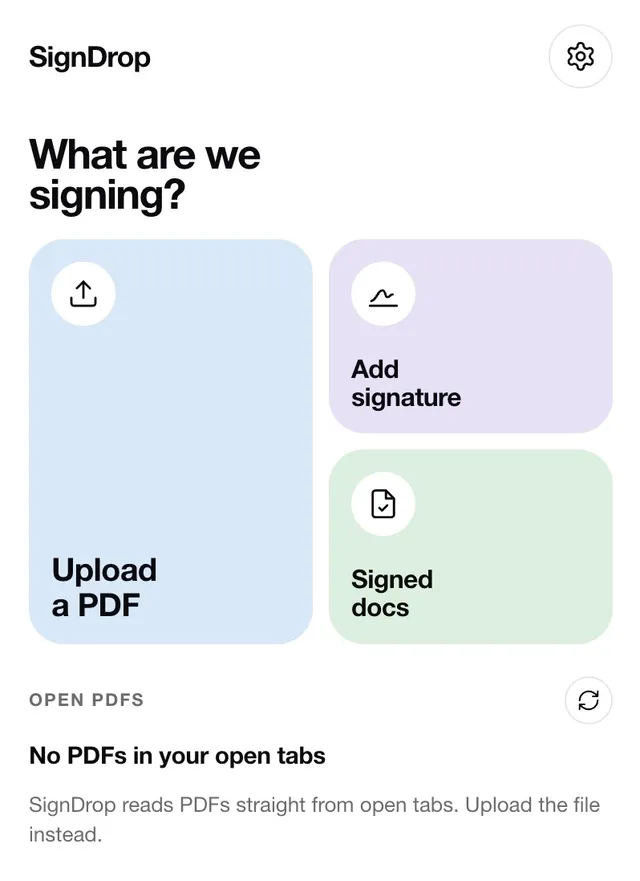
No account to create, no app to learn. If you can open a PDF, you can sign it.
SignDrop spots PDFs in your open tabs — or drag in a PDF, Word document (.docx), or a photo of a form. Contracts, leases, scans, offer letters.
Draw it, type it, or upload a photo of it. Create it once and reuse it on every document. Add dates and text too.
The signed document saves to your device and your local library. Download it as a PDF, a JPG or PNG image, or a still-editable signed Word file (.docx). Attach and you’re done.
Sign from your phone
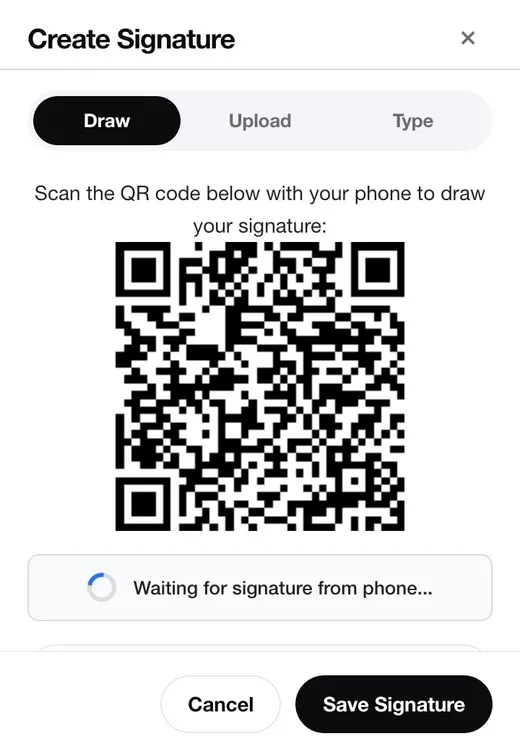
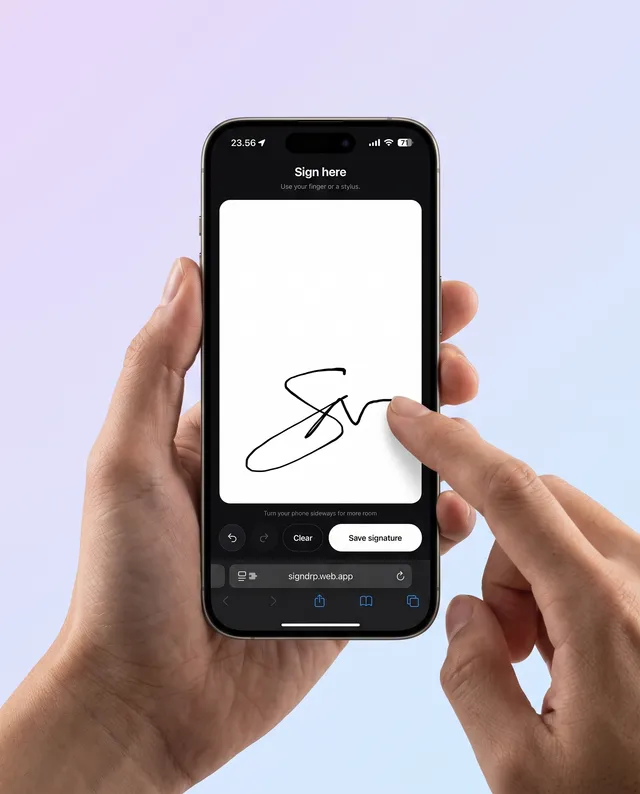
Signatures drawn with a mouse look like a heart-rate monitor. SignDrop shows a QR code — scan it with your phone, draw your signature with your finger, and it lands on your desktop instantly.
Phone sessions are temporary by design: the code stops working after 5 minutes, the signature is deleted the moment it arrives, and any leftover session within 15 minutes.
What you get
Three ways to create your signature. Save it once, reuse it on every document.
Reads PDFs straight from your open tabs — and signs Word documents (.docx), photos, and scans (PNG, JPG, WebP, HEIC) too.
Signed docs are kept on your device. Download as PDF, JPG, or PNG — and Word uploads come back as a signed, still-editable .docx.
Fill the rest of the form too — drop in today’s date, your name, or any text.
The popup opens instantly and everything runs locally — even on a slow connection.
Matches your browser theme, easy on the eyes during late-night paperwork.
Security & privacy
Most e-signature tools upload your contracts to their cloud. SignDrop was built the opposite way: everything happens on your device.
Documents — PDFs, Word files, photos — are processed in your browser and stored in your local library. They are never uploaded to a server.
Install and sign. SignDrop never asks who you are, and never collects personal information.
No usage statistics, no cookies, no third-party trackers. What you sign is your business.
Signing from your phone uses a temporary, unguessable session that stops working after 5 minutes; your signature is deleted the moment it arrives.
SignDrop only asks for what it needs to spot PDFs in your tabs and store signatures locally — nothing more.
Easy when there’s nothing to collect. Read the full privacy policy — it’s short and in plain English.
FAQ
Yes. SignDrop is free — unlimited documents, unlimited signatures, no trial, no watermarks, no “premium” tier hiding the useful parts.
No. PDFs are opened, signed, and saved entirely in your browser. Documents and signatures are stored locally on your device and never sent to a server.
When you create a signature, SignDrop can show a QR code. Scan it with your phone’s camera, draw your signature on the phone screen with your finger, and it appears in the extension on your desktop. The QR code stops working after 5 minutes, and the signature is deleted from the relay as soon as it arrives.
In most countries, laws such as the U.S. ESIGN Act and the EU eIDAS regulation recognize electronic signatures for the majority of everyday agreements — leases, offers, NDAs, forms. Some documents (like wills or notarized deeds) may require more; when in doubt, check the requirements for your document type.
No. There is nothing to sign up for. Install the extension and sign your first document right away.
PDFs — from your open tabs or uploaded from your computer — plus Word documents (.docx) and photos or scans (PNG, JPG, WebP, HEIC, and more). Signed documents can be downloaded as PDF, JPG, or PNG, and Word uploads also come back as a signed .docx.
Yes. Upload a .docx and sign it like any PDF. You get two files back: a signed PDF, and your original Word document with the signature embedded — still editable, barely larger than the original, with the signature anchored next to the text you signed. The conversion happens entirely on your device.
Not yet — SignDrop is currently a Chrome extension, which also works in Edge, Brave, and other Chromium browsers. Mac and iPhone apps are on the way, with the same rule: free, and your documents stay on your device.
Free, private, and already in your browser.
Add SignDrop to Chrome