Free online tool
Sign a JPG or a photo of a document
Someone sent you a photo or scan of a form instead of a real PDF? Upload the JPG, place your signature, and download it signed — as an image or a PDF. Processed entirely in your browser; the photo never leaves your device.
- Never uploaded
- No account
- No watermark
- Free
How it works
Three steps, about thirty seconds.
- 1
Choose your JPG
Click “Choose file” and pick the JPG you need to sign. It opens right in your browser — nothing is uploaded.
- 2
Add your signature
Draw it with your mouse, type it, or scan a QR code and sign with your finger on your phone. Then drag it exactly where it belongs — add dates, names, or text too.
- 3
Download the signed file
Click “Finish” and your signed document downloads instantly. Done.
You can upload several photos at once — each becomes a page, so a 3-photo scan of a contract turns into one signed document. HEIC photos straight off an iPhone work too.
Sign from your phone
No mouse scribbles. Sign with your finger.
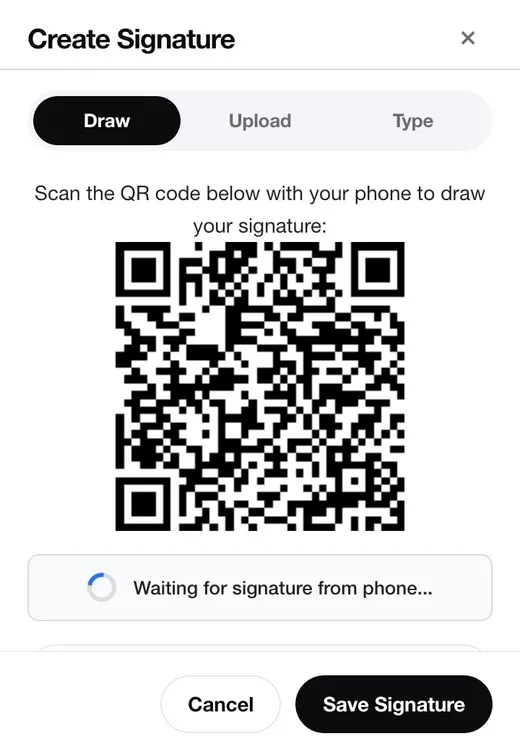
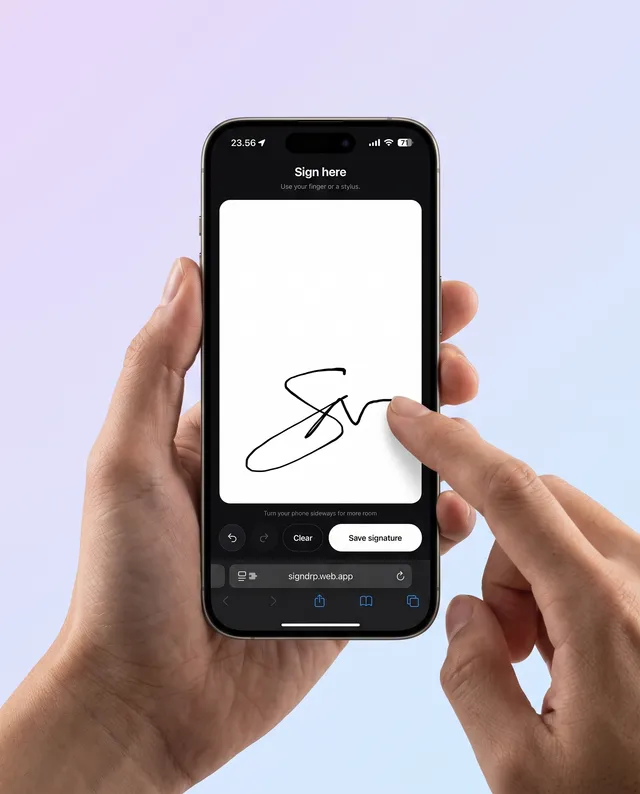
Signatures drawn with a mouse look like a heart-rate monitor. SignDrop shows a QR code — scan it with your phone, draw your signature with your finger, and it lands on your desktop instantly.
- Scan the QR code with your phone’s camera
- Draw your signature on the phone screen
- It appears in the extension, ready to place
Phone sessions are temporary by design: the code stops working after 5 minutes, the signature is deleted the moment it arrives, and any leftover session within 15 minutes.
“Online” shouldn’t mean “uploaded”.
Most online signing tools send your document to their servers. SignDrop doesn’t: the JPG is opened, signed, and saved entirely in your browser using WebAssembly. Close the tab and it’s gone — there is no copy of your document anywhere but your device.
Sign even faster next time
Put SignDrop in your browser.
The free Chrome extension signs any PDF you have open — no visit to a website needed. Your saved signatures follow you across devices, and it works offline too.
Add SignDrop to Chrome — freeFAQ
Questions, answered.
Is this really free?
Yes — unlimited documents, no watermark, no trial countdown, no account. The tool is the same signing engine our free Chrome extension uses.
Is my document uploaded to your servers?
No. The document is opened, signed, and saved entirely in your browser using WebAssembly — it never leaves your device. If you use the sign-from-phone QR option, only the signature stroke travels through an encrypted temporary session (deleted as soon as it arrives); the document itself still stays on your computer.
Do I need an account or email address?
No. Open the tool, pick your file, sign, download. Nothing to sign up for, nothing to confirm.
Can I sign with my finger on my phone?
Yes. When adding a signature, choose the QR option: scan the code with your phone camera, draw your signature on the phone screen, and it appears on your desktop instantly.
Are signatures made here legally valid?
In most countries, laws such as the U.S. ESIGN Act and the EU eIDAS regulation recognize electronic signatures for everyday agreements — leases, offers, NDAs, forms. Some documents (like wills or notarized deeds) may require more; check the requirements for your document type when in doubt.
Can I sign an iPhone photo (HEIC)?
Yes. HEIC and HEIF photos are converted in your browser automatically — along with JPG, PNG, WebP, GIF, and BMP.
What format do I get back?
Your choice — download the signed result as a JPG, PNG, or PDF. For a photo upload, the tool recommends the matching image format.